
Download Flixier – Fast Online Video Editor for Teams and Creators
Overview
Flixier is a cloud‑based video editing platform built by otinsoft that promises to turn raw footage into polished, professional‑grade videos in under a minute. Because the entire rendering engine runs in the browser, users are freed from the constraints of local hardware, meaning even modest laptops or tablets can edit 4K sequences without the dreaded lag that plagues traditional desktop editors. The web app combines a rich set of design tools—timeline trimming, transitions, color correction, text overlays, and motion graphics—with a collaborative workflow that mirrors modern content teams.
Project assets are stored securely in the cloud, enabling instant sharing via shareable links, feedback comments, and real‑time co‑editing across Windows, macOS, Android, and iOS devices. Flixier’s emphasis on speed does not sacrifice quality; the platform leverages server‑side rendering farms to export videos at up to 1080p / 60 fps while keeping the download size minimal. Whether you’re a YouTuber needing quick turnarounds, a marketer producing social clips, or an educator assembling lesson videos, Flixier offers a streamlined, secure, and fully online solution that reduces the traditional bottlenecks of video production.
Key Features That Set Flixier Apart
- **Lightning‑Fast Rendering** – Cloud‑powered export that delivers final videos in under 60 seconds for most projects.
- **Unlimited Cloud Storage** – All media files, project files, and exported videos are saved in an encrypted cloud library.
- **Collaborative Editing** – Invite team members, assign roles, and leave timestamped comments directly on the timeline.
- **Cross‑Platform Accessibility** – Works on any modern browser; no downloads required for Windows, macOS, Android, or iOS.
- **Advanced Effects Suite** – Includes motion graphics templates, green‑screen keying, color grading LUTs, and audio mixing tools.
- **Template Library** – Hundreds of pre‑made intros, outros, and social media formats ready to drag‑and‑drop.
- **Export Options** – Direct upload to YouTube, Vimeo, Facebook, and TikTok, plus MP4, MOV, GIF, and image sequence outputs.
- **Version History** – Automatic snapshots let you revert to any previous edit point without manual backups.
- **Secure Sharing Links** – Password‑protected URLs and expiration dates keep your drafts private.
- **AI‑Assisted Tools** – Auto‑subtitle generation, smart cut, and scene detection to speed up routine tasks.
Each feature has been designed with a clear focus on reducing friction. For example, the AI‑assisted smart cut analyses your footage and automatically removes silent gaps, while the built‑in template library eliminates the need to start from scratch. The collaborative environment mimics real‑time document editing, allowing multiple contributors to see changes instantly, which is especially valuable for remote teams that need to keep production pipelines moving without endless file‑sharing emails. Moreover, Flixier’s export options integrate directly with the most popular social platforms, so you can publish a finished clip with a single click, preserving aspect ratios and codecs required by each service. The combination of speed, flexibility, and security makes Flixier a compelling choice for creators who demand professional results without the overhead of traditional software installations.
Installation, Usage & Compatibility
Getting started with Flixier is intentionally straightforward. Because it is a web‑based app, there is no traditional installer to run. Simply visit flixier.com, click the “Sign Up Free” button, and create an account using an email address or a Google/Apple ID. After confirming your email, you are taken directly to the dashboard where you can create a new project or import existing media.
Step‑by‑Step Setup
- Create an Account – Register with your preferred credentials; a free tier provides 10 GB of cloud storage.
- Start a Project – Choose a preset resolution (e.g., 1080p / 16:9) or custom dimensions.
- Upload Media – Drag‑and‑drop files from your computer, phone, or cloud storage services like Google Drive.
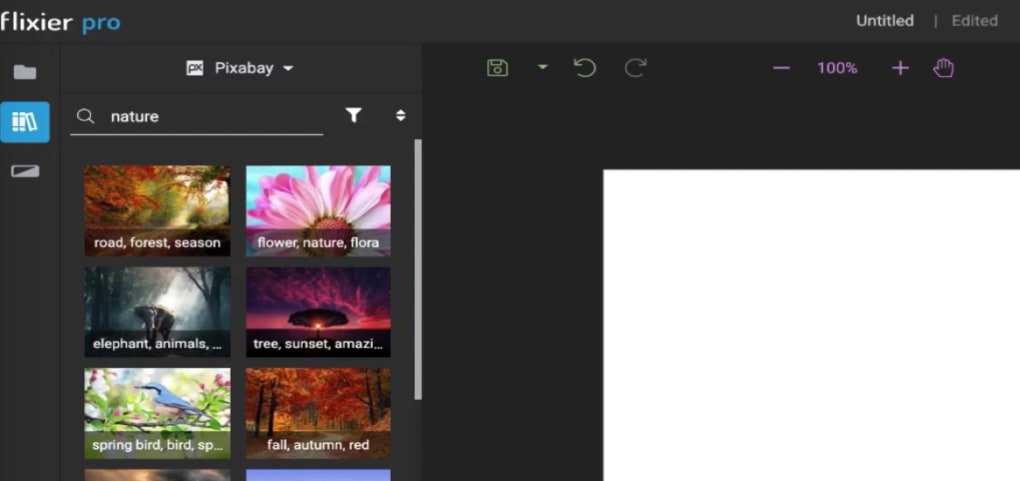
- Edit on the Timeline – Trim clips, add transitions, overlay text, and apply effects using the left‑hand toolbar.
- Collaborate – Click “Share” to generate a secure link; assign “Viewer,” “Commenter,” or “Editor” roles.
- Export – Choose “Render” and select your destination (local download, YouTube, etc.). The cloud server handles the heavy lifting.
Flixier runs on any device that supports a modern browser (Chrome, Edge, Firefox, Safari). This includes Windows 10/11 PCs, macOS 10.15+ systems, iOS 13+ iPhones and iPads, as well as Android 9+ smartphones and tablets. Because processing occurs on remote servers, the local OS plays only a minor role, which means you can switch from a desktop to a mobile device mid‑project without losing any functionality.
For power users, Flixier also offers a desktop‑like experience via Progressive Web App (PWA) installation. By clicking the browser’s “Install App” button, you create a shortcut that opens Flixier in a dedicated window, mimicking native software while still benefiting from cloud rendering. This optional step can improve workflow for those who prefer a task‑bar icon and offline‑ready UI (though actual editing still requires an internet connection).
Pros and Cons
What Users Love About Flixier
- Fast, cloud‑based rendering eliminates hardware bottlenecks.
- Zero‑install model works on any browser‑enabled device.
- Robust collaboration tools streamline remote team workflows.
- Extensive library of templates and AI‑assisted features saves time.
- Secure, encrypted cloud storage protects valuable media assets.
Areas for Improvement
- Free tier storage limit may be restrictive for larger projects.
- Advanced color grading tools are less granular than high‑end desktop suites.
- Internet dependency means offline editing is not possible.
- Some users report occasional latency when working with extremely long timelines.
- Export customization options (bitrate, codec presets) could be expanded.
Frequently Asked Questions
Is Flixier really free to use?
Flixier offers a free tier that includes 10 GB of cloud storage, basic editing tools, and up to three concurrent projects. For higher storage, advanced effects, and priority rendering, paid plans start at $15 per month.
Can I edit videos on my mobile phone?
Yes. Flixier’s responsive interface works on iOS and Android browsers, and the mobile‑optimized toolbar makes trimming and adding text straightforward on small screens.
How secure is my footage in the cloud?
All files are encrypted at rest with AES‑256 and transferred via HTTPS. Shareable links can be password‑protected and set to expire after a defined period.
What export formats does Flixier support?
Flixier exports to MP4, MOV, GIF, and image sequences. Direct publishing to YouTube, Vimeo, Facebook, and TikTok is also built‑in.
Do I need a powerful internet connection?
A stable broadband connection (at least 5 Mbps upload) is recommended for smooth uploads and fast rendering. Lower speeds will still work but may increase upload time.
Conclusion & Call to Action
Flixier has carved a niche in the crowded video‑editing market by delivering professional‑grade results without the traditional hardware constraints. Its cloud‑first architecture, rapid rendering, and built‑in collaboration tools make it especially attractive for teams that need to move fast and stay connected. While the free plan provides a generous entry point, power users may find value in upgrading to a paid subscription for expanded storage and premium effects. If you’re looking for a secure, cross‑platform editor that turns raw clips into share‑ready videos in minutes, Flixier is worth a try.
Ready to experience the speed of cloud video editing? Download Flixier now, start a free project, and see how quickly you can go from footage to finished video.
Flixier impresses with its speed, collaborative workflow, and cross‑device accessibility. Minor drawbacks include limited offline capabilities and a storage cap on the free tier, but overall it delivers strong value for creators and teams.- Fast cloud rendering
- Intuitive UI
- Robust sharing options
- Free storage limits
- No offline editing



.png)



